-
×
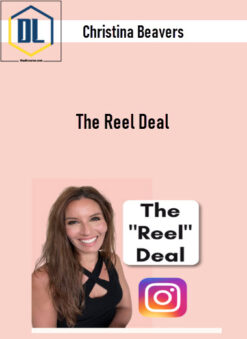 Christina Beavers – The Reel Deal
1 × $59.00
Christina Beavers – The Reel Deal
1 × $59.00 -
×
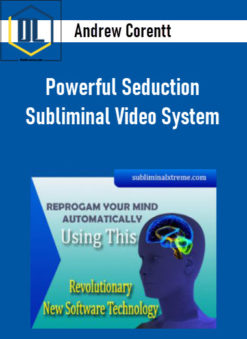 Andrew Corentt – Powerful Seduction Subliminal Video System
1 × $27.00
Andrew Corentt – Powerful Seduction Subliminal Video System
1 × $27.00 -
×
 Leigh Spusta – The Secret MindScript
1 × $9.00
Leigh Spusta – The Secret MindScript
1 × $9.00 -
×
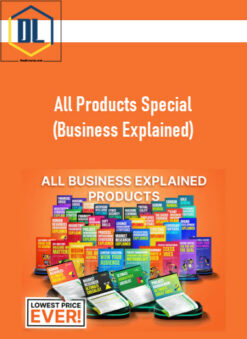 All Products Special (Business Explained)
1 × $87.00
All Products Special (Business Explained)
1 × $87.00 -
×
 Billy Gene – 5 Day AI Crash Course for Marketers
1 × $35.00
Billy Gene – 5 Day AI Crash Course for Marketers
1 × $35.00 -
×
 TraderLion – High Tight Flag Masterclass
1 × $47.00
TraderLion – High Tight Flag Masterclass
1 × $47.00 -
×
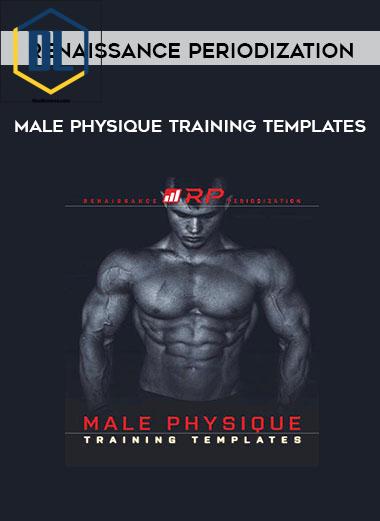 Renaissance Periodization – “Male Physique Training Templates”
1 × $37.00
Renaissance Periodization – “Male Physique Training Templates”
1 × $37.00 -
×
 Monica At Redefining Mom – Pin Practical Promotions
1 × $55.00
Monica At Redefining Mom – Pin Practical Promotions
1 × $55.00 -
×
 Troy Harris – Crypto New Rich Program
1 × $9.00
Troy Harris – Crypto New Rich Program
1 × $9.00 -
×
 Cole Gordon – 8 Figure Boardroom Mastermind
1 × $9.00
Cole Gordon – 8 Figure Boardroom Mastermind
1 × $9.00 -
×
 Austin Lovell – Freedom Fast Track
1 × $9.00
Austin Lovell – Freedom Fast Track
1 × $9.00 -
×
 Ben Cummings – Traian Turcu Live Masterclass 2019
1 × $63.00
Ben Cummings – Traian Turcu Live Masterclass 2019
1 × $63.00 -
×
 Taylor Jackson – TikTok for Photographers (10K in 2 Weeks)
1 × $12.00
Taylor Jackson – TikTok for Photographers (10K in 2 Weeks)
1 × $12.00

-60%
Buy With Coupon: DLC25 (-25%)
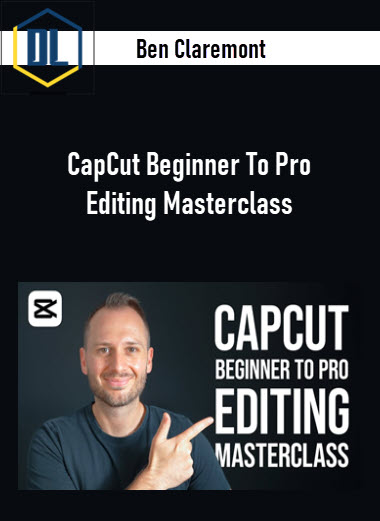
Ben Claremont – CapCut Beginner To Pro Editing Masterclass
Original price was: $97.00.$39.00Current price is: $39.00.
Delivery: Instant Delivery
Description
Ben Claremont – CapCut Beginner To Pro Editing Masterclass
Learn How To Edit Like A Pro Inside CapCut
Unlock your video editing potential with my step-by-step CapCut masterclass—No previous experience required!
What You’ll Learn In CapCut Beginner To Pro Editing Masterclass?
The CapCut Beginner To Pro Editing Masterclass is made up of easy-to-follow 10-minute lessons, to cover every stage of your editing journey!
Beginner – Master The Basics Quickly
Lessons include:
- Essential CapCut Settings & Starting Your First Project
- How The CapCut Interface Works
- How To Use The Template Library
- Timeline Navigation & Basic Editing Techniques
Intermediate – Learn To Edit Like A Pro
Lessons include:
- Keyboard Shortcuts For 10X Faster Editing
- How To Resize Clips & Keyframe Camera Movement
- How To Edit Clips Perfectly To Music
- How To Record, Edit & Balance Dialogue
- How To Add Stylish Transitions
- How To Add Animated Text
Advanced – Produce Cinematic Content
Lessons include:
- Advanced Text: Motion Tracking, Templates & AI Features
- Effects 101: Background Replacement, Masking, Speed Ramping & More
- Advanced Effects: Image, Sticker & VFX Overlays
- CapCut Pro Effects & Features
- How To Colour Grade Like A Pro
- How To Add Stylish Captions
- Final Edits & Export Settings
More courses from the same author: Ben Claremont
Delivery Policy
When will I receive my course?
You will receive a link to download your course immediately or within 1 to 21 days. It depends on the product you buy, so please read the short description of the product carefully before making a purchase.
How is my course delivered?
We share courses through Google Drive, so once your order is complete, you'll receive an invitation to view the course in your email.
To avoid any delay in delivery, please provide a Google mail and enter your email address correctly in the Checkout Page.
In case you submit a wrong email address, please contact us to resend the course to the correct email.
How do I check status of my order?
Please log in to TheDLCourse account then go to Order Page. You will find all your orders includes number, date, status and total price.
If the status is Processing: Your course is being uploaded. Please be patient and wait for us to complete your order. If your order has multiple courses and one of them has not been updated with the download link, the status of the order is also Processing.
If the status is Completed: Your course is ready for immediate download. Click "VIEW" to view details and download the course.
Where can I find my course?
Once your order is complete, a link to download the course will automatically be sent to your email.
You can also get the download link by logging into your TheDLCourse account then going to Downloads Page.
Related products
-92%

Original price was: $425.00.$35.00Current price is: $35.00.
-97%

Original price was: $299.00.$9.00Current price is: $9.00.
-52%

Original price was: $44.00.$21.00Current price is: $21.00.
-87%
Original price was: $530.00.$67.00Current price is: $67.00.
-92%
Original price was: $497.00.$39.00Current price is: $39.00.
-79%
Original price was: $249.00.$52.00Current price is: $52.00.
-91%

Original price was: $299.00.$27.00Current price is: $27.00.
-90%

Original price was: $497.00.$51.00Current price is: $51.00.