-
×
 Julie Solomon – Pitch It Perfect
1 × $67.00
Julie Solomon – Pitch It Perfect
1 × $67.00 -
×
 Digital Income Project – Content MBA
1 × $33.00
Digital Income Project – Content MBA
1 × $33.00 -
×
 Brent Smith – Bulletproof Banter
1 × $17.00
Brent Smith – Bulletproof Banter
1 × $17.00 -
×
 Depesh Mandalia – The AI Powered Facebook Ads & Offers Workshop May 2024
1 × $9.00
Depesh Mandalia – The AI Powered Facebook Ads & Offers Workshop May 2024
1 × $9.00 -
×
 Alexander – Day Game Phone Game
1 × $9.00
Alexander – Day Game Phone Game
1 × $9.00 -
×
 Matt Clark and Jason Katzenback – Amazing Selling Machine 11
1 × $9.00
Matt Clark and Jason Katzenback – Amazing Selling Machine 11
1 × $9.00 -
×
 Ginny and Laura – 400K Instagram Launches
1 × $9.00
Ginny and Laura – 400K Instagram Launches
1 × $9.00 -
×
 John Demartini – The Loving Relationship Formula
1 × $30.00
John Demartini – The Loving Relationship Formula
1 × $30.00 -
×
 Jack Hopkins – 10k Accelerator Program
1 × $9.00
Jack Hopkins – 10k Accelerator Program
1 × $9.00 -
×
 Mark Rasmus – Elastic Force Chi Kung
1 × $17.00
Mark Rasmus – Elastic Force Chi Kung
1 × $17.00 -
×
 Cris Chico – Find Motivated Sellers Online
1 × $54.95
Cris Chico – Find Motivated Sellers Online
1 × $54.95 -
×
 Gemma Bonham-Carter – The Passive Project
1 × $9.00
Gemma Bonham-Carter – The Passive Project
1 × $9.00 -
×
 Lynne McTaggart – Developing Psychic Abilities
1 × $15.00
Lynne McTaggart – Developing Psychic Abilities
1 × $15.00 -
×
 Astra Gallery – The Art of Generating AI Content
1 × $20.00
Astra Gallery – The Art of Generating AI Content
1 × $20.00 -
×
 All Products Special (Business Explained)
1 × $87.00
All Products Special (Business Explained)
1 × $87.00 -
×
 Jon Rappoport – Power Outside The Matrix
1 × $33.00
Jon Rappoport – Power Outside The Matrix
1 × $33.00 -
×
 Christian Thibaudeau – Neurotype 1B Strength & Power program
1 × $21.00
Christian Thibaudeau – Neurotype 1B Strength & Power program
1 × $21.00 -
×
 Adobe Photoshop CC Fundamentals and Essentials Training
1 × $7.00
Adobe Photoshop CC Fundamentals and Essentials Training
1 × $7.00 -
×
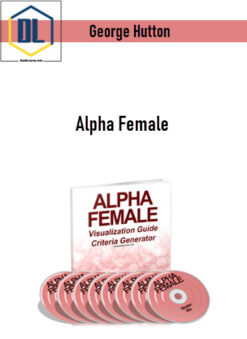 George Hutton – Alpha Female
1 × $10.00
George Hutton – Alpha Female
1 × $10.00 -
×
 Product University – Unique Amazon Strategy
1 × $92.00
Product University – Unique Amazon Strategy
1 × $92.00 -
×
 Speculators Trading – London Fix Strategy Course + Edge Defining Fundamental Trading course
1 × $9.00
Speculators Trading – London Fix Strategy Course + Edge Defining Fundamental Trading course
1 × $9.00 -
×
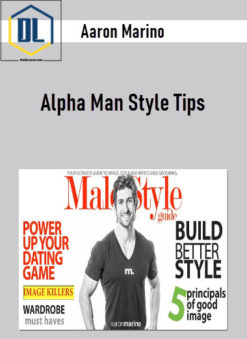 Aaron Marino - Alpha Man Style Tips
1 × $9.00
Aaron Marino - Alpha Man Style Tips
1 × $9.00 -
×
 Robert Jacobs – Hypnotic Seduction
1 × $9.00
Robert Jacobs – Hypnotic Seduction
1 × $9.00 -
×
 Peggy McColl – Skipping Levels All Access Pass
1 × $9.00
Peggy McColl – Skipping Levels All Access Pass
1 × $9.00 -
×
 Nehemiah Davis – Event Space Secrets 1.0
1 × $227.00
Nehemiah Davis – Event Space Secrets 1.0
1 × $227.00 -
×
 Jerry Acuff – Selling Excellence by Thinking Like a Customer
1 × $9.00
Jerry Acuff – Selling Excellence by Thinking Like a Customer
1 × $9.00 -
×
 John Overdurf – Deep Trance Identification: Induction and Hypnotic Loop for Modeling Excellence
1 × $10.00
John Overdurf – Deep Trance Identification: Induction and Hypnotic Loop for Modeling Excellence
1 × $10.00 -
×
 Troy Harris – Crypto New Rich Program
1 × $9.00
Troy Harris – Crypto New Rich Program
1 × $9.00 -
×
 Selena Soo – Get Known and Get Clients
1 × $48.00
Selena Soo – Get Known and Get Clients
1 × $48.00


-98%

Buy With Coupon: DLC25 (-25%)
Dave Foy – No Stress WordPress 2.0
Original price was: $397.00.$9.00Current price is: $9.00.
Description
Dave Foy – No Stress WordPress 2.0
Salepage: Dave Foy – No Stress WordPress 2.0
An Indispensable Course For Non-coder Designers Who Want To Leverage The True Power Of Elementor Pro
MODULE 1: The Set Up
- Most self-taught WordPress users only know what they know (and don’t know what they don’t know) which is often most notable when it comes to these essential set-up steps.
- We’ll begin by quickly installing and preparing WordPress from the starter site, and setting up Elementor for the smoothest, most efficient workflow.
- You’ll then learn the optimal way to add a logo while avoiding common pitfalls, and how to set consistent brand styles for the entire site in one fell swoop.
- Say hello to faster and more profitable web builds from here on in!
MODULE 2: The Framework
- In this module, we build the main frame of your website—nav menu, header, and footer.
- Using Elementor Pro’s theme builder, you’ll learn heaps of clever, time-saving tips and tricks that you can carry with you into all future builds.
- Learn exactly what your theme does, and why you need one.
- THE biggest cause of roadblocks I see is not understanding what theme templates are, how they interact with Elementor, and the difference between theme templates and Elementor templates. Prepare to unlock the key to faster, smoother web builds.
MODULE 3: Layout System
- I’ve been building websites for 20 years but it wasn’t until recently that I developed a simple, straightforward system for consistently creating aesthetically pleasing layouts—even if you’re not a professional designer.
- Before you can confidently use the layout system, you’ll first need to understand a fundamental aspect of how Elementor creates layouts, and the method it uses to create gaps between columns.
- With this understanding clear in your mind, you’ll then be free to implement my step-by-step, foolproof layout system for creating beautifully aligned, aesthetically pleasing layouts that look great every time.
MODULE 4: Standalone Content
- There are two types of content that you can develop in WordPress: standalone content and template-driven content. In this module we establish the former.
- You’ll learn how to create a hero header with full width image and high-contrast text overlays…
- Before learning how all the rules change when you add background colours to columns (you could lose days figuring this quirk out!)
- We’ll also take a look at more complex layouts that call for nested sections, and you’ll pick up valuable time-saving tips that’ll allow you to race through development with the help of global widgets.
- Finally, we’ll look at call to action sections, review the differences between standalone templates and master editable templates, and how to build both in Elementor.
MODULE 5: Template-Driven Content
- In module five we take a closer look at template-driven content.
- You’ll discover what it is, when to use it, how it can make future maintenance massively quicker, and, crucially, how it can stop clients from breaking your designs.
- By the end of this module you’ll know how to create single page templates, single post templates, post archive templates, taxonomy archives, and alternative versions of all these templates for various different use cases.
- After module five, you’ll have the key to producing websites that are quicker to make, easier to update and maintain, and easier for your clients to use.
MODULE 6: The Next Level
- By this point, you’ll have a super-solid foundation and the ability to build beautiful, dynamic websites quickly and profitably. In module 6, what you learn will take your websites to a whole new level.
- You’ll learn how to use custom post types, custom fields custom taxonomies, and hooks, to deliver all kinds of potentially complex requirements, your client could ask for, and with total confidence.
MODULE 7: Go Live
- In this, the final module, you’ll learn the essential tricks for managing and maintaining plugins for the fewest headaches in future.
- Discover how to easily rescue your site from dreaded plugin update disasters!
- I’ll show you how to properly manage adding users to your WordPress sites, to ensure they can only see and do what YOU want them to.
- Finally, you’ll learn the best and easiest way to make your sites live, without destroying your client’s search engine rankings (yes, it happens ALL the time).
Readmore about: Dave Foy
Delivery Policy
When will I receive my course?
You will receive a link to download your course immediately or within 1 to 21 days. It depends on the product you buy, so please read the short description of the product carefully before making a purchase.
How is my course delivered?
We share courses through Google Drive, so once your order is complete, you'll receive an invitation to view the course in your email.
To avoid any delay in delivery, please provide a Google mail and enter your email address correctly in the Checkout Page.
In case you submit a wrong email address, please contact us to resend the course to the correct email.
How do I check status of my order?
Please log in to TheDLCourse account then go to Order Page. You will find all your orders includes number, date, status and total price.
If the status is Processing: Your course is being uploaded. Please be patient and wait for us to complete your order. If your order has multiple courses and one of them has not been updated with the download link, the status of the order is also Processing.
If the status is Completed: Your course is ready for immediate download. Click "VIEW" to view details and download the course.
Where can I find my course?
Once your order is complete, a link to download the course will automatically be sent to your email.
You can also get the download link by logging into your TheDLCourse account then going to Downloads Page.
Related products
-95%

Original price was: $997.00.$50.00Current price is: $50.00.
-84%
Original price was: $295.00.$48.00Current price is: $48.00.
-60%
Original price was: $47.00.$19.00Current price is: $19.00.
-99%
Original price was: $997.00.$9.00Current price is: $9.00.
-89%
Original price was: $497.00.$54.95Current price is: $54.95.
-91%
Original price was: $97.00.$9.00Current price is: $9.00.
-100%
Original price was: $10,000.00.$9.00Current price is: $9.00.
-91%
Original price was: $97.00.$9.00Current price is: $9.00.